
TV Remote Controls
Find the perfect TV remote control—whether it’s a universal, smart, or brand-specific replacement. Browse ergonomic designs and models compatible with all major TV brands.

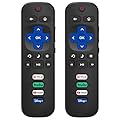
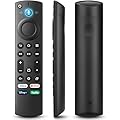
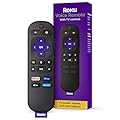
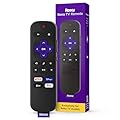

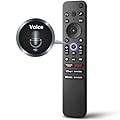

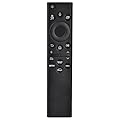

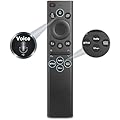
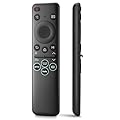
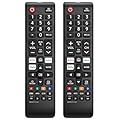
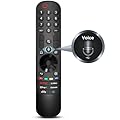

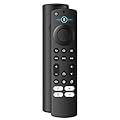
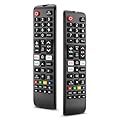
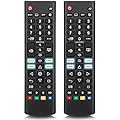
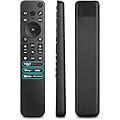
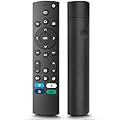
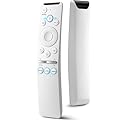
What Are TV Remote Controls?
TV remote controls are handheld devices that allow users to operate their televisions and connected devices wirelessly. By transmitting infrared (IR), radio frequency (RF), or Bluetooth signals, remotes communicate commands like power on/off, channel selection, volume adjustment, and menu navigation. While early remotes were simple button-based devices, modern versions include advanced features like voice control, touchpads, and smartphone app integration, reflecting the growing complexity of today’s TVs.
Remote controls are essential for interacting with smart TVs, streaming devices, soundbars, and gaming consoles, making them a cornerstone of the modern entertainment ecosystem. Available in a range of designs, from minimalist to feature-packed, TV remotes cater to diverse user needs, whether you’re a casual viewer or a tech-savvy enthusiast.
Key Features of TV Remote Controls
Ergonomic Design
Modern TV remotes are designed with user comfort in mind. Lightweight and contoured, they fit naturally in the hand, with buttons arranged for easy access. Some models feature backlit keys for use in low-light conditions, while others incorporate premium materials like brushed aluminum or soft-touch plastics for a sleek, durable feel.
Universal Compatibility
Universal remote controls can operate multiple devices, such as TVs, streaming boxes, soundbars, and Blu-ray players, reducing the need for multiple remotes. Brands like Logitech and One For All offer universal remotes that support thousands of devices, with programmable buttons and customizable settings to streamline your entertainment setup.
Voice Control
Voice-activated remotes have become a game-changer, allowing users to search for content, adjust settings, or control smart home devices using voice commands. Integrated with assistants like Amazon Alexa, Google Assistant, or Samsung’s Bixby, these remotes enable hands-free operation, making it easy to find your favorite show or dim the lights without lifting a finger.
Smart TV Integration
As TVs have evolved into smart entertainment hubs, remotes have adapted to support streaming apps, web browsers, and gaming interfaces. Many remotes include dedicated buttons for services like Netflix, Hulu, or Disney+, providing instant access to popular platforms. Some also feature touchpads or motion-sensing capabilities for intuitive navigation.
Connectivity Options
TV remotes use various technologies to communicate with devices:
-
Infrared (IR): Requires line-of-sight and is common in budget-friendly remotes.
-
Radio Frequency (RF): Operates without line-of-sight, ideal for devices behind cabinet doors.
-
Bluetooth: Offers reliable, low-latency connections, often used in smart TVs and gaming consoles.
-
Wi-Fi: Enables advanced features like voice control and app integration, found in high-end models.
Programmable and Customizable Features
Advanced remotes allow users to program macros—sequences of commands triggered by a single button. For example, a macro could power on your TV, soundbar, and streaming device while switching to the correct input. Customizable remotes also let users reassign buttons or create personalized layouts via companion apps.
Benefits of Modern TV Remote Controls
Simplified Device Management
With the proliferation of entertainment devices, managing multiple remotes can be cumbersome. Universal and smart remotes consolidate control, reducing clutter and simplifying operation. A single remote can handle your TV, sound system, streaming box, and even smart home devices like lights or thermostats.
Enhanced Accessibility
TV remotes cater to diverse needs with features like large, tactile buttons for visually impaired users or voice control for those with mobility challenges. Some remotes include haptic feedback or audio cues, ensuring accessibility for all ages and abilities.
Time-Saving Convenience
Dedicated buttons, voice search, and programmable macros save time by streamlining common tasks. Instead of navigating menus to find a streaming app, a single button press can launch Netflix or adjust picture settings, making your viewing experience more efficient.
Seamless Smart Home Integration
Many TV remotes double as smart home controllers, allowing you to adjust lighting, temperature, or security settings from the same device. This integration creates a cohesive entertainment environment, where your TV remote becomes the central hub for your connected home.
Improved User Experience
Modern remotes prioritize ease of use, with intuitive layouts and responsive controls. Features like motion-sensing pointers, touchscreens, or voice recognition make navigating complex smart TV interfaces feel effortless, even for non-tech-savvy users.
Popular Types of TV Remote Controls
Standard OEM Remotes
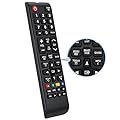
Original Equipment Manufacturer (OEM) remotes are included with TVs and designed specifically for that model. Brands like Samsung, LG, and Sony provide remotes tailored to their TVs’ features, ensuring seamless compatibility. These remotes are ideal for users who want a straightforward, no-fuss experience.
Universal Remotes
Universal remotes are versatile devices that work with multiple brands and devices. Models like the Logitech Harmony Elite or One For All URC7880 offer extensive compatibility, with databases supporting thousands of devices. These are perfect for complex setups with multiple components.
Smart Remotes
Smart remotes are designed for smart TVs and streaming devices, often featuring voice control, touchpads, or app integration. Examples include the Amazon Fire TV remote, Apple TV Siri Remote, and Roku Voice Remote, which prioritize streaming and smart features over traditional TV controls.
Smartphone Apps as Remotes
Many TVs and devices support smartphone apps that function as remotes. Apps like Samsung SmartThings, LG ThinQ, or Roku’s mobile app allow users to control their TV via Wi-Fi, offering features like virtual keyboards, voice search, and screen mirroring. These apps are ideal for tech-savvy users who prefer digital interfaces.
Gaming Remotes
Some remotes are optimized for gaming consoles that double as media hubs, such as the PlayStation 5 DualSense controller or Xbox Media Remote. These remotes combine gaming controls with media playback features, making it easy to switch between gaming and streaming.
Technologies Powering TV Remote Controls
Infrared (IR) Technology
IR remotes are the most common and affordable, using light signals to transmit commands. While reliable, they require a clear line of sight, which can be a limitation in cluttered setups. Most budget TVs and older devices rely on IR remotes.
Bluetooth and RF Connectivity
Bluetooth and RF remotes eliminate the need for line-of-sight, offering greater flexibility. Bluetooth is common in smart TVs and gaming consoles, providing low-latency, reliable connections. RF is often used in universal remotes, allowing control of devices hidden in cabinets.
Voice Recognition
Voice-enabled remotes use built-in microphones and AI assistants to process commands. Advanced models support natural language processing, allowing users to search for content, adjust settings, or ask questions (e.g., “Find action movies on Netflix”). This technology is increasingly standard in premium TVs.
Touchscreens and Motion Sensors
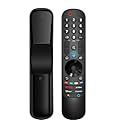
High-end remotes, like the LG Magic Remote, feature touchscreens or motion-sensing capabilities, allowing users to point and click like a mouse. These remotes simplify navigation through complex menus, making them ideal for smart TVs with web browsers or apps.
Rechargeable Batteries and Eco-Friendly Designs
Many modern remotes use rechargeable batteries or solar-powered cells, reducing waste from disposable batteries. For example, Samsung’s Eco Remote charges via USB-C or ambient light, offering an environmentally friendly alternative to traditional remotes.
Considerations When Choosing a TV Remote Control
Compatibility
Ensure the remote is compatible with your TV and other devices. Universal remotes should support your brand and model, while OEM remotes are guaranteed to work with specific TVs. Check for compatibility with streaming devices, soundbars, or gaming consoles if needed.
Ease of Use
Consider the remote’s layout and ergonomics. Large, well-spaced buttons are ideal for seniors or those with limited dexterity, while backlit keys are useful for nighttime use. Voice control or touchpads can enhance usability for tech-savvy users.
Feature Set
Determine which features matter most to you. If you frequently use streaming apps, look for dedicated buttons or voice search. For complex setups, a universal remote with programmable macros may be worth the investment. Gaming enthusiasts might prefer remotes with low-latency Bluetooth connectivity.
Durability and Build Quality
A well-built remote can withstand daily use. Look for models with durable materials, spill-resistant designs, or protective coatings. Some remotes also come with warranties to cover defects or wear.
Budget
TV remotes range from budget-friendly OEM models to premium universal remotes costing over $100. Set a budget and prioritize features that align with your needs. Replacement OEM remotes are often affordable, while smart or universal remotes may require a higher investment.
Top Brands and Models
Logitech Harmony
Logitech’s Harmony line, including the Harmony Elite and Companion, is renowned for universal compatibility and advanced features. These remotes support thousands of devices, with customizable touchscreens, voice control, and smart home integration, making them ideal for complex setups.
Samsung One Remote
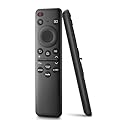
Samsung’s One Remote, included with QLED and OLED TVs, offers a minimalist design with voice control and smart TV integration. Its sleek, metal construction and dedicated streaming buttons make it a favorite among Samsung users.
LG Magic Remote
The LG Magic Remote combines motion-sensing technology with voice control, allowing users to point, scroll, or speak to navigate LG’s webOS platform. Its ergonomic design and intuitive interface make it a standout for smart TV users.
Roku Voice Remote
Roku’s Voice Remote is tailored for streaming, with dedicated buttons for popular apps and voice search capabilities. Its simple design and affordable price make it a great choice for Roku users or streaming enthusiasts.
Amazon Fire TV Remote
The Fire TV Remote integrates Alexa voice control, allowing users to search for content, control playback, or manage smart home devices. Its compact design and seamless integration with Amazon’s ecosystem make it a top pick for Fire TV users.