
TV Antennas
Shop high-performance TV antennas for clear, reliable reception. Explore indoor and outdoor digital antennas that deliver free HD channels without a cable subscription.
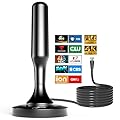
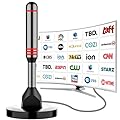
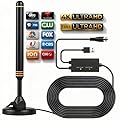


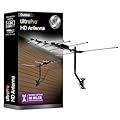
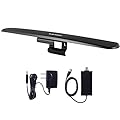
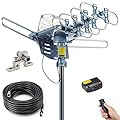
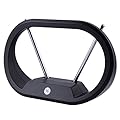
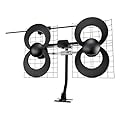
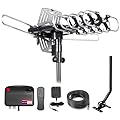
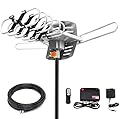
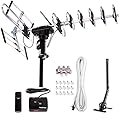
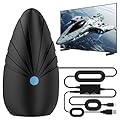
What Are TV Antennas?
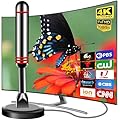
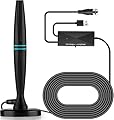
A TV antenna is a device designed to capture over-the-air (OTA) broadcast signals transmitted by television stations. These signals, sent via radio waves, allow you to watch free-to-air channels without relying on cable or satellite services. Modern TV antennas are compact, easy to install, and optimized for digital signals, making them a popular choice for households looking to save money while enjoying high-quality TV.
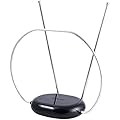
Unlike the bulky "rabbit ear" antennas of the past, today's antennas are sleek, versatile, and capable of receiving both VHF (Very High Frequency) and UHF (Ultra High Frequency) signals. They connect directly to your television or a digital tuner, delivering content from major networks like ABC, CBS, NBC, FOX, and PBS, along with local stations, depending on your location.
Why Choose a TV Antenna?
Cost Savings
One of the most compelling reasons to invest in a TV antenna is the significant cost savings. With no monthly fees, a one-time purchase can provide years of free entertainment. For cord-cutters, this means redirecting funds from expensive cable bills to other priorities, all while enjoying a wide range of programming.
Access to Local Channels
TV antennas excel at delivering local channels, which often include news, weather, sports, and community programming. These channels are broadcast in high definition, offering picture quality that rivals or surpasses cable and satellite feeds. For viewers in rural or urban areas, antennas ensure you stay connected to local content.
High-Quality Picture and Sound
OTA broadcasts are uncompressed, meaning they deliver superior picture and sound quality compared to compressed cable or streaming signals. With a TV antenna, you can enjoy 1080i or even 4K broadcasts (where available) with crystal-clear visuals and robust audio, provided your TV supports these resolutions.
Reliability
Unlike internet-based streaming services, TV antennas don't rely on Wi-Fi or data connections. This makes them immune to internet outages, buffering, or data caps, ensuring consistent access to live TV, especially during emergencies or severe weather events when local news is critical.
Eco-Friendly Entertainment
TV antennas are a sustainable choice. They consume minimal power compared to streaming devices or cable boxes, reducing your energy footprint. Plus, with no need for constant internet connectivity, you're minimizing data usage and supporting a greener approach to entertainment.
Types of TV Antennas
TV antennas come in various forms, each suited to different environments, signal strengths, and user preferences. Understanding the types available will help you choose the right one for your home.
Indoor Antennas
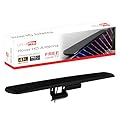
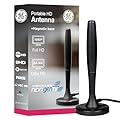
Indoor antennas are compact, easy to install, and ideal for urban or suburban areas with strong signal coverage. These antennas are typically placed near a window or on a wall and connect directly to your TV. They come in various designs, including flat panels, stick-on models, or small tabletop units. Indoor antennas are perfect for renters or those seeking a plug-and-play solution.
Outdoor Antennas
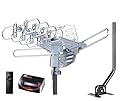
Outdoor antennas are larger and designed for mounting on rooftops, attics, or exterior walls. They offer superior range and signal reception, making them ideal for rural areas or locations far from broadcast towers. While installation may require more effort, outdoor antennas are highly effective at capturing weak signals and providing access to more channels.
Amplified vs. Non-Amplified Antennas
Antennas can be either amplified (powered) or non-amplified (passive). Amplified antennas use a built-in signal booster to enhance reception, which is beneficial in areas with weak signals or obstructions like buildings or trees. Non-amplified antennas rely solely on their design to capture signals and are better suited for areas with strong broadcast signals. Choosing between the two depends on your distance from broadcast towers and environmental factors.
Directional vs. Omnidirectional Antennas
Directional antennas focus on capturing signals from a specific direction, offering better range and signal strength for towers located in one area. Omnidirectional antennas, on the other hand, receive signals from all directions, making them ideal for urban settings where broadcast towers are scattered. Omnidirectional models are easier to set up since they don’t require precise aiming.
Key Features to Look for in a TV Antenna
When shopping for a TV antenna, several features can enhance performance and user experience. Here’s what to consider:
Signal Range
The range of an antenna indicates how far it can pick up signals from broadcast towers, typically measured in miles. Indoor antennas often have a range of 25–50 miles, while outdoor models can reach 70 miles or more. Check the distance to your nearest broadcast towers using online tools like the FCC’s DTV Reception Maps to ensure your antenna’s range is sufficient.
Frequency Support (VHF/UHF)
Most modern antennas support both VHF and UHF signals, but it’s worth confirming. UHF channels (14–51) carry most digital broadcasts, while VHF channels (2–13) are still used by some stations. A dual-band antenna ensures compatibility with all available channels in your area.
Design and Aesthetics
Indoor antennas come in sleek, unobtrusive designs that blend into home decor. Look for slim, flat-panel models or paintable antennas that can be discreetly mounted on walls. Outdoor antennas prioritize durability, with weather-resistant materials to withstand rain, wind, and UV exposure.
Amplification
If you live in an area with weak signals, an amplified antenna with a built-in or external signal booster can improve reception. However, amplification isn’t always necessary and can sometimes introduce noise in areas with strong signals, so choose based on your location.
Ease of Installation
Indoor antennas are typically plug-and-play, requiring only a connection to your TV and a quick scan for channels. Outdoor antennas may need mounting hardware and coaxial cables, so consider your comfort level with installation or whether professional help is needed.
4K and ATSC 3.0 Compatibility
The next generation of broadcast TV, ATSC 3.0 (NextGen TV), offers 4K resolution, enhanced audio, and interactive features. While not all areas have adopted ATSC 3.0, choosing a compatible antenna future-proofs your setup. Check if the antenna explicitly supports ATSC 3.0 for optimal performance.
How to Choose the Right TV Antenna
Selecting the perfect TV antenna involves assessing your location, viewing needs, and installation preferences. Here’s a step-by-step guide to making an informed decision:
Step 1: Determine Your Location
Your proximity to broadcast towers is the most critical factor. Use online tools like AntennaWeb or TVFool to identify the distance and direction of towers in your area. Urban dwellers may only need a basic indoor antenna, while rural residents might require a long-range outdoor model.
Step 2: Assess Signal Strength
Check the signal strength in your area. If towers are within 20–30 miles and you have minimal obstructions, a non-amplified indoor antenna may suffice. For weaker signals or distances beyond 50 miles, consider an amplified or outdoor antenna.
Step 3: Consider Your TV Setup
Ensure your TV has a built-in digital tuner (most modern TVs do). If not, you’ll need a separate digital converter box to process OTA signals. Also, verify that your TV supports the resolutions you want, such as 1080p or 4K, to take full advantage of broadcast quality.
Step 4: Decide on Indoor vs. Outdoor
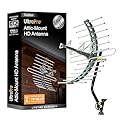
Choose indoor antennas for convenience and aesthetics, especially in urban areas. Opt for outdoor antennas if you’re in a rural location or need to capture distant signals. Attic installations can be a middle ground, offering better range than indoor models without external exposure.
Step 5: Budget and Features
TV antennas range from budget-friendly models under $30 to premium options over $100. Higher-priced antennas often include amplification, longer ranges, or ATSC 3.0 compatibility. Set a budget and prioritize features that align with your needs.
Step 6: Installation and Testing
Once you’ve chosen an antenna, follow the manufacturer’s instructions for setup. For indoor antennas, experiment with placement near windows or higher elevations to optimize reception. After connecting the antenna, run a channel scan on your TV to discover available stations.
Benefits of Modern TV Antennas
Cord-Cutting Freedom
TV antennas empower you to break free from costly cable or satellite subscriptions. By combining an antenna with streaming services like Netflix or Hulu, you can create a customized entertainment setup that balances free OTA channels with on-demand content.
Emergency Preparedness
During natural disasters or power outages, internet and cable services may fail, but OTA broadcasts often remain operational. A TV antenna ensures access to critical updates from local stations, keeping you informed when it matters most.
Wide Channel Variety
Depending on your location, a TV antenna can pick up dozens of channels, including major networks, public broadcasting, and niche stations. Many areas also offer subchannels (e.g., 7.1, 7.2) that provide additional content like classic movies, kids’ shows, or weather updates.
No Contracts or Hidden Fees
Unlike cable or streaming platforms, TV antennas have no contracts, cancellation fees, or recurring costs. Once you purchase the antenna, you’re set for years of free TV, with only occasional maintenance for outdoor models.
Common Misconceptions About TV Antennas
Antennas Are Outdated
Many assume TV antennas are relics of the past, but modern antennas are designed for digital signals and offer exceptional performance. They’re a cutting-edge solution for today’s cord-cutting era, delivering HD and 4K content with minimal setup.
You Need a Roof-Mounted Antenna
While outdoor antennas offer superior range, many indoor models perform admirably in urban and suburban areas. Advances in antenna technology mean you don’t always need a rooftop setup to enjoy reliable reception.
Antennas Only Get a Few Channels
The number of channels depends on your location, not the antenna itself. In metropolitan areas, it’s common to receive 20–50 channels, while rural areas may get fewer. Online tools can help you estimate channel availability before purchasing.
All Antennas Are the Same
Not all antennas are created equal. Differences in range, amplification, and design significantly impact performance. Researching and selecting an antenna tailored to your location and needs is crucial for optimal results.
Tips for Maximizing TV Antenna Performance
-
Placement Matters: Position indoor antennas near windows or high on walls to minimize obstructions. For outdoor antennas, aim for a clear line of sight to broadcast towers.
-
Avoid Interference: Keep antennas away from electronics like routers, microwaves, or LED lights, which can disrupt signals.
-
Rescan Regularly: Broadcast channels can change over time. Run a channel scan every few months to ensure you’re receiving all available stations.
-
Use Quality Cables: High-quality coaxial cables reduce signal loss, especially for outdoor or long-range setups.
-
Check for ATSC 3.0: If 4K broadcasts are available in your area, invest in an ATSC 3.0-compatible antenna to enjoy the latest in broadcast technology.