
Replacement for Sony TV Remote, for All 2019-2025 Sony Remote Control for Bravia Smart TV with Voice Control. for Bravia XR/XBR/KD/K Series Google/Android TVs. 1-Year Warranty.
Product Features
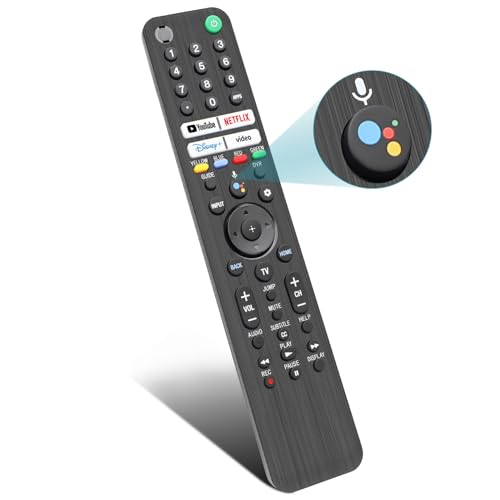
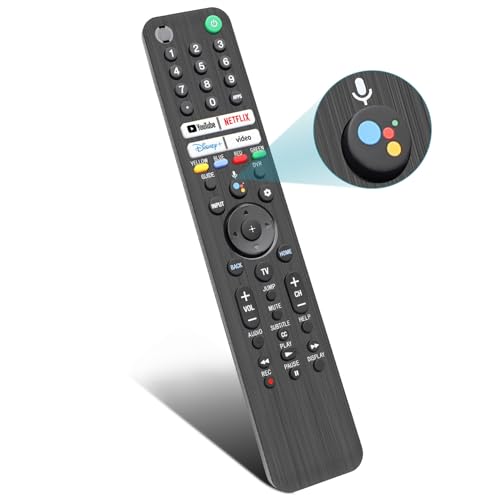
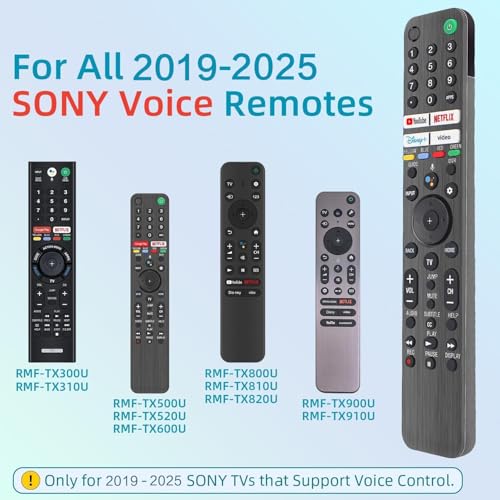
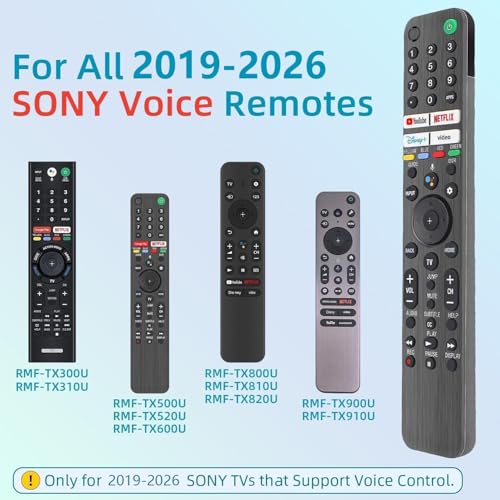
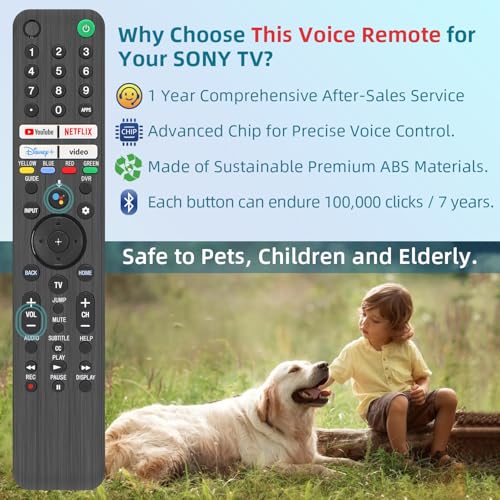
?Broad Compatibility?this high-end remote is designed for All 2019-2025 SONY TVs. It serves as an excellent replacement for various SONY voice remote controls such as RMF-TX520U/500U, RMF-TX800U/810U/811U/820U, RMF-TX900U/910U/920U, RMF-TX300/310U, RMF-TX600U/611U/621U and others.
?Important Notice? For TVs that do not support voice control or were released before 2018, the voice search functionality may not work. This remote requires two AAA batteries, and is NOT backlit.
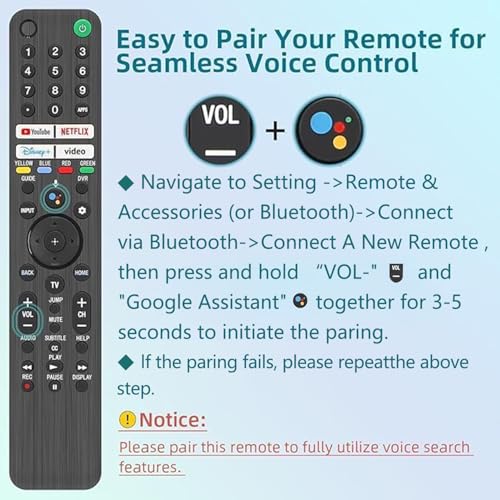
?Advanced Voice Control?With its advanced chip, this remote offers precise Bluetooth voice control from a long distance. Please make sure following the user manual to pair this remote before using the bluetooth voice function.
?Number Buttons & HotKeys?Features number buttons and one-click access to four popular streaming services—Netflix, YouTube, Video, and Disney Plus—for convenient viewing. In contrast, most replacement SONY remotes lack number buttons or offer only two hotkeys.
?1-Year Full Warranty?We offer a 1-year full warranty to ensure your complete satisfaction with your purchase. If you need any product support, please navigate to your order in the order history, clicking "View order details" and "Ask Product Question"
?Instructions of Pairing?Please follow the following steps to pair this remote before using the voice search. Go to Settings -> Remotes & Accessories (or Bluetooth) -> Remote Control -> Connect via Bluetooth -> Connect a new remote. Then press and hold the "VOL -" button while simultaneously pressing the "Mic" button for 3-5 seconds. ?Troubleshooting Steps?If the pairing fails, make sure you have signed in to the Google TV account on your SONY TV, then repeat the previous pairing steps.
Related Products


There are no customer reviews yet. Be the first to Write a Review!