
Best QLED TVs for Sports: Motion Blur Compared
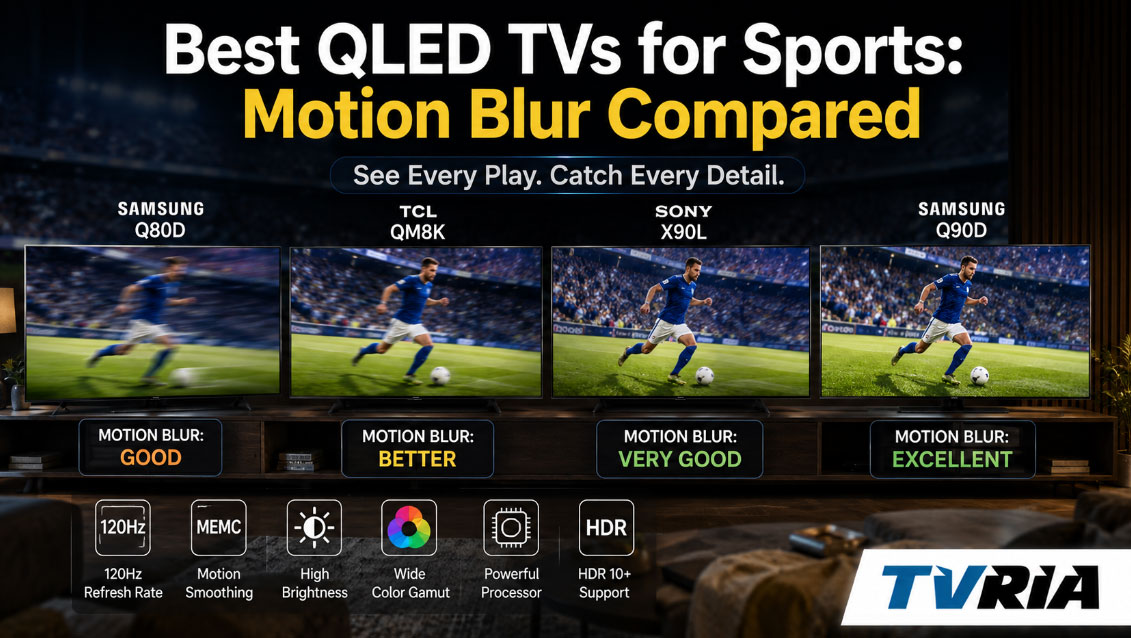
A football spends roughly a quarter of a second crossing an NFL secondary at full speed. A hockey puck can hit 100 miles per hour off a slap shot. A Formula 1 car can blur past a trackside camera before your eye even registers the livery. None of that matters if your television turns all of it into a smear of color. For sports fans, motion clarity isn't a spec-sheet footnote — it's the difference between watching the game and watching an impressionist painting of the game.
QLED TVs have become the default choice for sports rooms because they pair serious brightness with prices that don't require a second mortgage. But not every QLED handles motion the same way, and the gap between the best and worst performers is bigger than most shoppers expect. This guide breaks down what actually causes motion blur on a quantum-dot LCD panel, which current QLED models handle fast action the best, and how to set up whichever one you buy so it stops smearing the ball.
Quick Answer: The Best QLED TVs for Sports Right Now
If you only read one section, read this one.
- Best overall for sports: Samsung QN90F Neo QLED — the strongest all-around blend of brightness, panel speed, and motion processing in Samsung's current QLED lineup.
- Best value: TCL QM7K — near-flagship motion handling at a noticeably lower price than TCL's own QM8K.
- Best for a bright, sunlit living room: Hisense U8QG — exceptional peak brightness with solid, if slightly less refined, motion tuning.
- Best splurge: TCL QM8K — TCL's flagship Mini-LED QLED, with the highest brightness and most advanced backlight control of the group.
- Skip for serious sports viewing: Samsung Q7F — a fine budget QLED for casual streaming, but its 60Hz panel is not built for fast motion.
What Actually Causes Motion Blur on a QLED TV
"QLED" describes the quantum-dot film that sits behind an LCD panel to boost color, not the panel's speed. That distinction matters, because motion clarity is governed by a completely separate set of components working together — or fighting each other.
Pixel response time. Every LCD pixel has to physically twist to shift from one shade to the next, and that transition takes time. If a pixel can't fully change before the next frame arrives, the old image lingers behind the new one, producing the trailing "ghost" you see behind a moving basketball. This is the single biggest reason LCD-based QLEDs have historically trailed OLED for motion, since OLED pixels switch almost instantly.
Refresh rate. This is how many times per second the panel redraws the image. A 60Hz set draws 60 frames per second; a 120Hz or 144Hz panel draws twice or more than that, giving fast-moving objects more positional data to work with and reducing the visible gap between frames. For sports, 120Hz is genuinely the line between "smooth" and "choppy."
Motion interpolation (MEMC). This is the processing that generates artificial in-between frames to smooth out judder. It helps with panning camera shots, but pushed too far it creates the plasticky "soap opera effect" and can introduce halos around fast-moving players. Every TV in this guide lets you dial this down independently for sports.
Black Frame Insertion (BFI). Some QLEDs can flash a black frame between each real frame, which tricks your eye into perceiving sharper motion — essentially borrowing a trick from old CRT and plasma displays. It's extremely effective at cutting perceived blur, but it also cuts brightness, so manufacturers often limit it to certain refresh rates or picture modes.
Backlight and local dimming behavior. Fast-moving bright objects — a hockey puck, a cricket ball against a dark pitch — can produce visible "haloing" if the local dimming zones can't react quickly enough. TCL's Halo Control system and Samsung's newer backlight controllers exist specifically to fix this.
Put simply: refresh rate gives motion room to breathe, response time keeps individual pixels honest, BFI and MEMC are the processing tricks layered on top, and backlight control keeps bright, fast objects from smearing their own light. A great sports QLED needs all four working in concert.
The Motion Metrics That Actually Matter (And the Ones That Don't)
Marketing spec sheets love to throw around numbers like "Motion Rate 480" or "PQI 6200." Ignore most of them. Here's what's actually worth comparing:
| Spec | What It Tells You | Why It Matters for Sports |
|---|---|---|
| Native refresh rate | The real, physical redraw speed of the panel (usually 60, 120, or 144Hz) | Higher is genuinely better; ignore "effective" motion-rate numbers that inflate this artificially |
| Response time / pixel transition speed | How fast a pixel changes shade | Slow transitions cause visible trailing on fast objects |
| VRR (Variable Refresh Rate) | Whether the panel can sync its refresh to a live source, mostly relevant for consoles/PCs | Less critical for broadcast sports, useful if you also game |
| BFI support and brightness cost | Whether black frame insertion is available and how much dimming it causes | Great for daytime clarity if the TV stays bright enough with it on |
| Blur Reduction / Judder Reduction settings | Manufacturer-specific motion processing controls | These are what you'll actually be adjusting in the settings menu |
The independent lab most worth trusting on this topic is RTINGS.com, which physically measures pixel response times and motion persistence on every TV it reviews rather than relying on manufacturer claims. Their sports-specific rankings and comparison tool are a genuinely useful second opinion alongside this guide.
Best QLED TVs for Sports: Motion Blur Compared
1. Samsung QN90F Neo QLED — Best Overall
Samsung's QN90F is the current flagship of its mainstream Neo QLED line, and it earns that position with a Mini-LED backlight, a matte "Glare Free" coating that kills reflections in bright rooms, and Samsung's NQ4 AI Gen3 processor driving a feature Samsung calls AI Motion Enhancer Pro, built specifically to reduce blur during fast action. Screen sizes run from 43 up to a genuinely massive 98 inches, so it scales to nearly any sports den.
Under the hood, the panel is capable of up to 165Hz for PC and gaming sources, while broadcast sports content runs at the more standard 120Hz. Samsung's Motion Clarity settings menu splits motion processing into two independent sliders — Blur Reduction and Judder Reduction — which lets you crank up clarity for a fast-break basketball game without also smoothing out a slow, cinematic pre-game broadcast package into soap-opera territory.
The one wrinkle worth knowing about: reviewers and enthusiast communities such as Blur Busters Forums have noted that the QN90F's black frame insertion mode currently tops out at 60Hz rather than also supporting 120Hz BFI, a small step back from what some earlier Samsung flagships offered. In practice, this is a minor asterisk rather than a dealbreaker — with Blur Reduction set correctly, motion during live sports remains excellent.
Best for: viewers who want the single most complete sports package — brightness, glare handling, and motion — and don't mind paying a premium for it.
2. TCL QM7K — Best Value
The QM7K is TCL's mid-range QD-Mini LED set, and it borrows most of the technology that makes the flagship QM8K impressive while trimming peak brightness to keep the price down. Every size runs on a native 144Hz panel with TCL's "Motion Rate 480" processing (a marketing number, but backed by a genuinely fast native panel underneath it) and MEMC frame insertion tuned to reduce ghosting on fast-moving objects like a soccer ball crossing the pitch.
TCL's Halo Control system — a combination of a refined LED microchip, a bi-directional 23-bit backlight controller, and TCL's Dynamic Light Algorithm — is the real star for sports viewers, because it's specifically designed to stop bright, fast-moving objects from blooming into the dark background around them. According to TechRadar's hands-on review, Halo Control does a genuinely strong job of keeping that blooming in check even during high-contrast, high-motion HDR content, and the 144Hz refresh is a clear benefit for both sports and gaming.
The only real sacrifice versus the QM8K is peak brightness — TCL's own comparisons put the QM7K around 3,000 nits versus the QM8K's roughly 5,000 — which mostly affects HDR highlight punch rather than motion clarity itself.
Best for: shoppers who want QM8K-caliber motion handling without QM8K pricing.
3. Hisense U8QG — Best for Bright Rooms
Hisense's U8QG sits in the sweet spot of its 2025 ULED lineup, above the entry-level U6QF and below the flagship U9QG, and it's built around a genuinely excellent 165Hz native panel with full-array local dimming and reviewers clocking peak brightness as high as 5,000 nits. That brightness ceiling is what makes it worth a special mention here: a TV this bright stays legible during a Sunday-afternoon game even with sunlight pouring through the window, which is exactly when motion blur becomes hardest to ignore.
Motion handling itself is good rather than exceptional. AVS Forum's hands-on testing found the U8QG's motion processing solid overall but noted it's the one area with room to improve, and recommended using the Custom motion menu's separate Blur Reduction and Judder Reduction sliders rather than the automatic presets to dial in the cleanest picture for sports. Left on an aggressive default motion-smoothing setting, some viewers have found the image looks a touch over-processed, so plan on spending five minutes in the settings menu after setup.
Best for: sun-drenched living rooms and sports bars where sheer brightness matters as much as motion polish.
4. TCL QM8K — Best Splurge
The QM8K is TCL's 2025 flagship, and it stacks every motion-relevant feature TCL makes onto one panel: a native 144Hz refresh rate, up to 2,800 local dimming zones, the same Halo Control backlight system found on the QM7K but paired with higher peak brightness, and TCL's newly added Zero-Delay Transient Response tech, which specifically targets the lag between an incoming bright object and the backlight's ability to react to it — a direct fix for the kind of trailing halo you'd see behind a fast-moving hockey puck.
AVS Forum's review of the 65-inch QM8K called motion handling solid, praising the Blur and Judder Reduction sliders for smoothing out lower-frame-rate broadcasts and compressed streams without introducing obvious artifacts. Owners on enthusiast forums have also pointed out a practical tip: setting Blur Reduction to zero under Custom motion, rather than using the automatic modes, eliminates the faint double-outline effect some viewers notice on fast-moving balls, with no visible cost to overall picture quality.
Best for: buyers who want the best motion performance TCL currently makes and are willing to pay flagship pricing for it.
5. Samsung Q7F — The One to Skip for Sports
Not every QLED belongs on this list for the right reasons, and the Q7F is worth flagging precisely because its QLED badge can be misleading. It's Samsung's true entry-level quantum-dot TV, and depending on the exact size and revision you find, it's often capped at a 60Hz refresh rate with no VRR support and no local dimming. RTINGS' lab testing found the Q7F has notably slow pixel transitions at its maximum refresh rate, which produces visibly blurry fast motion, a conclusion echoed by Tom's Guide's review, which found the set serviceable for casual streaming but clearly outmatched by faster competitors when things get fast-paced on screen.
That's not a knock on the Q7F as a budget bedroom or kids'-room TV — it's simply the wrong tool for tracking a fast break or a breakaway goal. If your budget only stretches to this tier, a 120Hz TCL QM6K (its cheapest QD-Mini LED sibling, also built on TCL's Halo Control platform) will do noticeably better with fast motion for a similar price.
Skip if: sports viewing is your primary use case. Fine if it's a secondary set for casual, slower-paced content.
Quick Comparison Table
| TV | Native Refresh Rate | Peak Brightness | Motion Strength | Best Use Case |
|---|---|---|---|---|
| Samsung QN90F | Up to 165Hz (120Hz broadcast) | Very high, glare-resistant | Excellent, minor BFI limitation | Best overall sports TV |
| TCL QM7K | 144Hz | ~3,000 nits | Excellent for the price | Best value |
| Hisense U8QG | 165Hz | ~5,000 nits | Very good, needs manual tuning | Bright rooms |
| TCL QM8K | 144Hz | ~5,000 nits | Excellent, best backlight control | Flagship splurge |
| Samsung Q7F | 60Hz | Modest | Weak — noticeable blur | Avoid for sports |
Where to See Motion Clarity for Yourself Before You Buy
Specs and lab charts are useful, but motion blur is genuinely one of those things your eyes judge better than any chart can. If you'd rather compare a couple of these side by side under sports content before deciding, most major electronics retailers keep working demo units on the sales floor — call ahead to confirm which specific models are on display, since floor sets rotate.
A few flagship-format stores worth a visit if you're near one:
- Best Buy Union Square — 52 E 14th St, New York, NY 10003
- Best Buy North Avenue — 1000 W North Ave, Chicago, IL 60642
- Best Buy West LA — 11301 W Pico Blvd, Los Angeles, CA 90064
Larger-format Best Buy stores also house in-store Samsung Experience Shops and Magnolia Home Theater sections, which is where you're most likely to find Neo QLED and premium TCL/Hisense models actually running side by side rather than tucked into a general TV wall. If you can, ask a staff member to pull up a fast-motion demo loop (many stores have one preloaded) rather than judging off whatever slow nature documentary happens to be looping on the display units.
Settings That Kill (or Save) Motion Clarity on Any QLED
Buying the right hardware only gets you halfway there. A great motion-handling QLED can still look blurry if it's left on the wrong picture mode, and a mediocre one can be coaxed into looking noticeably better with a few tweaks.
Turn off "Standard" or "Dynamic" picture mode for sports. These modes often prioritize brightness and color pop over accurate processing, and can leave motion smoothing on aggressive defaults.
Use the dedicated sports or filmmaker-adjacent mode if your set has one. Several 2025 and 2026 QLEDs ship with a Sports picture mode tuned specifically for stadium lighting and fast motion — it's usually a smarter starting point than Standard.
Separate your Blur Reduction and Judder Reduction sliders. Nearly every set in this guide, from Samsung's Motion Clarity menu to TCL's Custom motion settings, lets you control these independently. Push Blur Reduction up for genuinely fast content like hockey or basketball; keep Judder Reduction lower to avoid the artificial "soap opera" look.
Watch for the double-outline effect. A few owners of Samsung's 165Hz-class panels have reported that very high motion settings introduce a faint double outline around fast objects, particularly balls in flight. If you notice this, dial Blur Reduction back down rather than up — more isn't always better.
Enable Game Mode even for sports, if your TV allows Sports + Game Mode together. Game Mode strips out extra processing latency and, on many sets, also disables some of the more aggressive smoothing that can introduce artifacts.
Update firmware before you judge anything. Motion processing is one of the areas manufacturers tune most aggressively post-launch; a TV that looked slightly soft on day one can measurably improve after a firmware update.
A Quick Note on QLED vs. OLED for Sports
If pure motion clarity were the only variable, OLED would win outright — its pixels change state near-instantly, which is why OLED panels have long been the gold standard for eliminating trailing and ghosting. But sports viewing isn't only about motion. It's also about surviving a bright afternoon game with the blinds open, which is where QLED's Mini-LED-backed brightness has a real, practical edge, and where OLED's risk of long-term burn-in from static scoreboards and score bugs becomes a legitimate concern for households that leave sports channels on for hours at a stretch.
The honest framing: OLED wins on raw motion clarity in a dark room, and QLED wins on real-world sports-watching conditions — bright rooms, long viewing sessions, static on-screen graphics — for the vast majority of households. For sports specifically, that trade-off tends to favor a well-tuned QLED unless you're watching primarily at night with the lights off.
Frequently Asked Questions
What refresh rate do I actually need for watching sports? 120Hz is the practical minimum for genuinely smooth motion on fast sports like hockey, basketball, and soccer. 60Hz panels, even QLED ones, will show visible blur on fast-moving objects.
Does a higher "Motion Rate" number mean better motion handling? Not reliably. Motion Rate is a marketing figure, not a physical refresh rate — it often combines the native panel speed with backlight scanning and interpolation tricks. Compare native refresh rate and independent lab testing instead of the Motion Rate number alone.
Should I leave motion smoothing on for sports? A moderate amount of Blur Reduction generally helps sports look sharper, but heavy Judder Reduction (frame interpolation) can create an artificial, overly smooth look. Most viewers find a middle setting — high blur reduction, low-to-moderate judder reduction — works best for live sports.
Is a Mini-LED QLED better than a regular QLED for sports? Generally yes. Mini-LED backlighting allows for far more precise local dimming zones, which reduces the haloing that appears around bright, fast-moving objects like a puck or a ball against a dark background.
Is OLED better than QLED for motion blur specifically? For raw pixel response time, yes — OLED transitions are essentially instant. But for real-world sports viewing in a bright room over long sessions, a well-tuned Mini-LED QLED often provides a better overall experience once brightness and burn-in risk are factored in.
The Bottom Line
Motion blur isn't fixed by any single spec — it's the product of refresh rate, pixel response time, backlight precision, and processing all working together, and the QLED market in 2025 and 2026 has gotten genuinely good at balancing all four. The Samsung QN90F currently leads the pack for buyers who want the most complete sports package, the TCL QM7K delivers nearly the same motion performance for meaningfully less money, and the Hisense U8QG is the one to grab if your living room fights with the sun every Sunday afternoon. Whatever you choose, don't skip the settings menu — the difference between a smeary picture and a crisp one is often five minutes with the Blur Reduction slider, not another few hundred dollars on the price tag.